Quick Start Guide
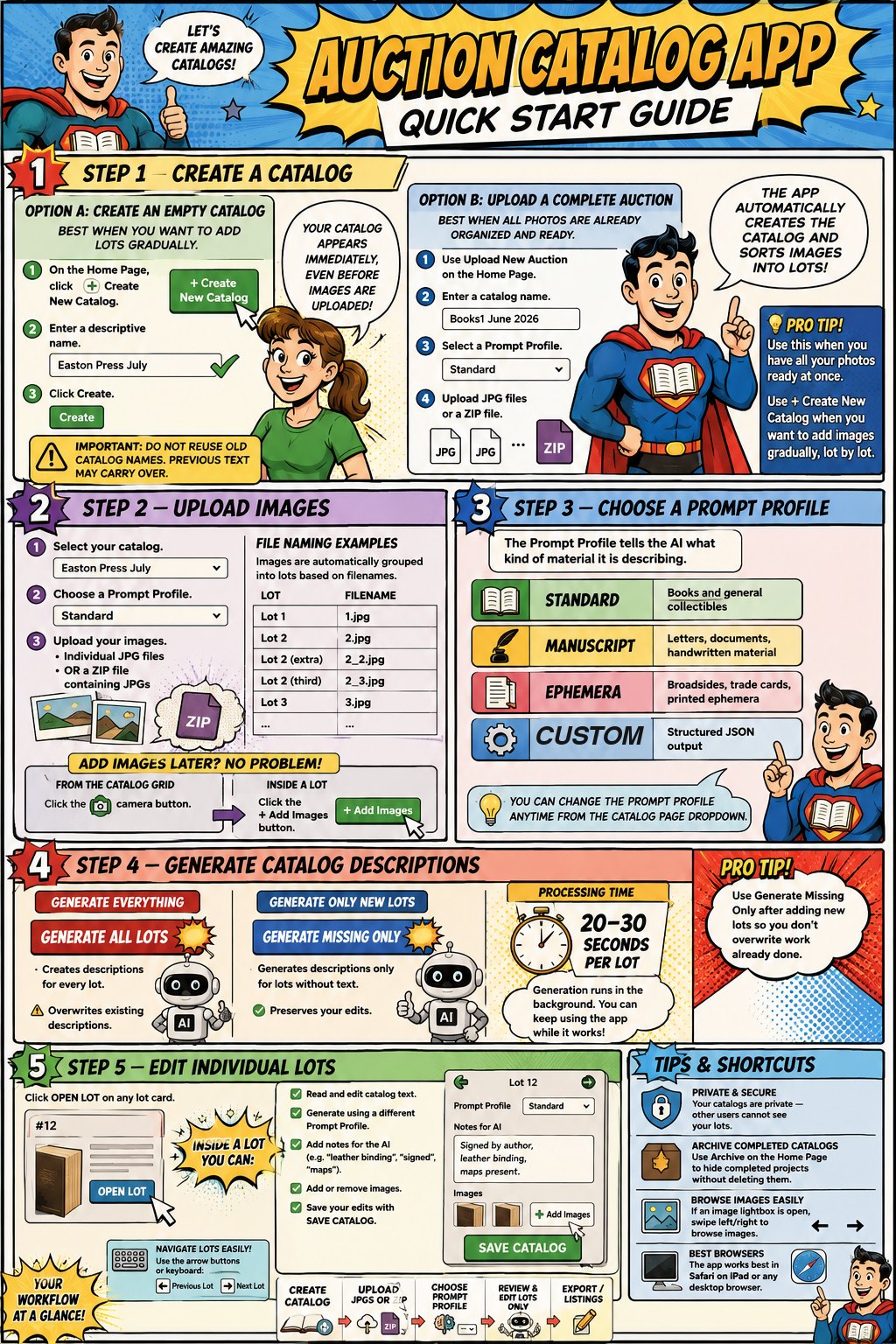
Five steps from a box of items to a finished, ready-to-list auction catalog. Tap any panel to see that step in the app.
Every panel below is clickable — tap a step to see its screenshot
Five steps from a box of items to a finished, ready-to-list auction catalog. Tap any panel to see that step in the app.